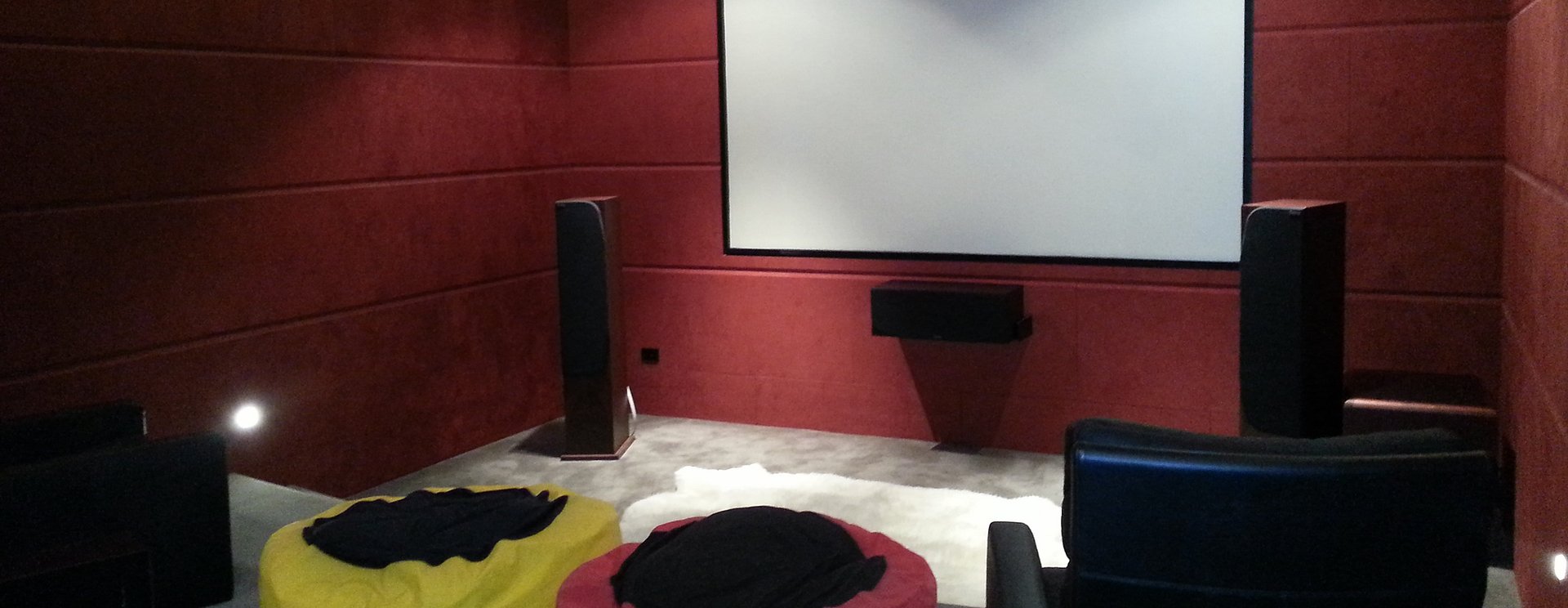
Imagine settling down for a movie without searching for three remotes, walking through the house to switch off lights, or adjusting the blinds to reduce glare. With a thoughtfully designed home automation system, everyday tasks like these can become easier to manage.
Home automation connects compatible technology so different parts of your home can work together. Rather than controlling every device separately, you can create simple routines that suit how you live.
For Hamilton homeowners, the starting point is understanding what would make daily life more convenient. Perhaps you want simpler entertainment controls, better lighting, or a connected system that brings several functions together.
This guide explains what home automation can do, what to consider before installing it, and how to plan a system that feels comfortable to use.
What Is Home Automation?
Home automation allows compatible household systems to be controlled individually or together through programmed settings. Depending on the equipment installed, this may include lighting, entertainment, motorised blinds, climate controls and security functions.
A “scene” combines several actions into one command. For example, a movie scene could dim selected lights, lower compatible blinds and switch on your entertainment equipment.
Integrated platforms can bring these functions into a shared control system. Nice’s ELAN OS, for example, supports professionally installed control of lighting, shading, climate, audio and video, and compatible security equipment. The functions available in your home depend on the selected devices and integrations. Nice
The goal is to make useful actions easier. A successful system should feel natural from the first time you use it.
Start with Your Everyday Routines
Before choosing products, think about the moments when your home’s technology feels inconvenient.
Do you regularly struggle to find the correct television remote? Are certain rooms too bright for watching a screen? Does leaving home involve checking several lights and devices?
These small frustrations help identify where automation could provide meaningful value.
Consider three routines:
Arriving home: Which lights or entertainment settings would you like ready?
Relaxing in the evening: What would help you comfortably read, watch television or entertain?
Going to bed: Which systems do you usually check or switch off?
Your answers provide a useful starting point for discussions with an installer.
Include everyone who lives in the house. A system that suits one confident technology user may feel complicated to another. Agree on the controls and routines the whole household will find useful.
Make Lighting Easier to Manage
Lighting control is one of the most practical applications of home automation. Different activities require different lighting, even within the same room.
A kitchen might need bright task lighting while preparing dinner, softer lighting while eating, and a lower level when the family moves into the lounge.
Instead of adjusting several switches individually, you could use clearly labelled scenes such as “Cooking”, “Dining” or “Evening”.
Vantage offers lighting control systems and interfaces designed to let homeowners personalise their environment. Its keypad options can be programmed for individual lighting commands or more complex tasks, depending on the system design. Legrand
Think about how you want to operate the lights, too. Convenient wall controls are valuable when your phone is charging elsewhere or a visitor needs to use the room.
Good lighting automation should preserve straightforward everyday control.
Simplify Home Entertainment
Entertainment systems can become frustrating when watching television requires switching between several remotes and remembering the correct sequence.
A programmed control solution can bring compatible equipment together so a single activity command prepares the system.
For example, choosing “Watch TV” could turn on the television and amplifier, select the required inputs, and make volume control available through one remote.
Harmony Tech offers Pro-Control smart remotes as an option for homeowners who want simpler audio and visual control without installing a complete home automation system. Home Automation Hamilton
This makes entertainment control a practical place to begin.
Before installation, explain which activities you use most: television, streaming, music or movies. The control layout should reflect those habits, with commonly used functions easy to find and unnecessary buttons kept out of the way.
Coordinate Comfort and Motorised Blinds
Comfort involves more than setting a temperature. Sunlight, glare and privacy also affect how enjoyable a room feels.
Where compatible equipment is installed, automation can coordinate motorised blinds with other settings. A movie scene might lower selected blinds, while an evening routine could close them for privacy.
These are examples to discuss with your installer, rather than features to assume every system includes.
Similarly, climate control integration requires checking the specific heating or cooling equipment. Compatibility should be confirmed before purchasing devices or promising particular routines.
Think carefully about timing and overrides. A scheduled blind movement may work on a typical weekday but become inconvenient when someone is sleeping late or working from home.
The household should always have an easy way to adjust automated settings when plans change.
Bring Compatible Security Functions Together
A connected control system may also provide convenient access to compatible security functions.
Depending on the installation, this could include viewing camera feeds or checking supported alarm information through the same interface used for other home controls.
Harmony Tech’s home automation page describes integration between Nice/ELAN automation and compatible smart home security systems. Home Automation Hamilton
Discuss exactly what you want to achieve. Viewing cameras, receiving notifications and operating an alarm are separate requirements, and each needs appropriate equipment and configuration.
Ask who will have access and how permissions will be managed. If remote access is required, confirm what connection it depends on and how it will be maintained.
Clear expectations help ensure security features are useful and understood by everyone who needs them.
Plan Home Connectivity Alongside Automation
Home automation planning should include the connections supporting your chosen equipment.
Discuss where wired connections are appropriate, where wireless coverage is needed, and how equipment will be positioned throughout the property.
Harmony Tech provides home connectivity services covering smart wiring, Wi-Fi and home networking, which can be considered alongside an automation project. Home Connectivity Hamilton
For a new build, early planning gives you an opportunity to consider cable routes, equipment locations and future requirements before walls are finished.
For an existing home, an assessment can identify practical installation options and any areas that need attention.
Ask your installer which functions require internet access and which operate locally. Understanding this distinction helps you assess how the proposed system will behave during a connection interruption.
Choose Controls Everyone Can Use
The interface has a major influence on whether home automation becomes part of everyday life.
A wall keypad may be ideal for lighting near a doorway. A handheld remote may suit the lounge. A mobile app may be useful for making adjustments from another room.
Choose controls according to the task and the people performing it.
Labels should describe the action clearly. “Kitchen Lights” is easier to understand than an unexplained scene number. Likewise, a visitor should be able to find essential lighting without a tutorial.
During planning, ask to see how common actions will work. Walk through turning on lights, watching television and changing an automated setting.
This gives you a more useful understanding of the proposed experience than a long list of technical features.
Can You Start with One Room?
You do not need to automate the whole house at once.
A focused project can address your biggest frustration while giving you experience with connected control. This might involve a lounge entertainment system, lighting in an open-plan living area, or a dedicated home theatre.
Harmony Tech’s home automation options include Vantage systems, with its service page describing both room-level and whole-home approaches. Harmony Tech also identifies itself as a certified Vantage dealer and installer. Home Automation Hamilton
If you want to expand later, explain that at the beginning. Future additions may influence the initial controller, wiring and equipment choices.
Ask which upgrades the proposed design can accommodate and what would require further work. A staged approach is most useful when the stages are planned together.
What Affects the Cost of Home Automation?
Home automation costs depend on the scope and complexity of the project.
A system controlling one entertainment area will have different requirements from an installation coordinating lighting, blinds and multiple rooms.
Important factors include:
The number of rooms and devices.
Compatibility with existing equipment.
Wiring and installation requirements.
The control interfaces selected.
Programming, testing and household training.
Ongoing support or subscription requirements.
When comparing proposals, look closely at what is included. Ask for a clear description of the functions you will receive and any recurring costs.
Share your budget and priorities early. This helps your installer recommend a realistic scope and identify where a simpler solution could achieve the result you want.
Discuss Your Home Automation Plans with Harmony Tech
The most useful smart home is one designed around your routines, preferences and confidence with technology.
Start with the activities you want to simplify. Then consider compatible equipment, clear controls and an installation plan that supports your goals.
Whether you are exploring easier entertainment control or a broader home automation project in Hamilton, Harmony Tech can help you discuss the available options.
Visit Harmony Tech’s home automation page to learn more, or contact the team to outline your requirements.
Call Jonathan on 027 489 6886 or email jonathan@harmonytech.nz to discuss your home and what you would like to achieve.

