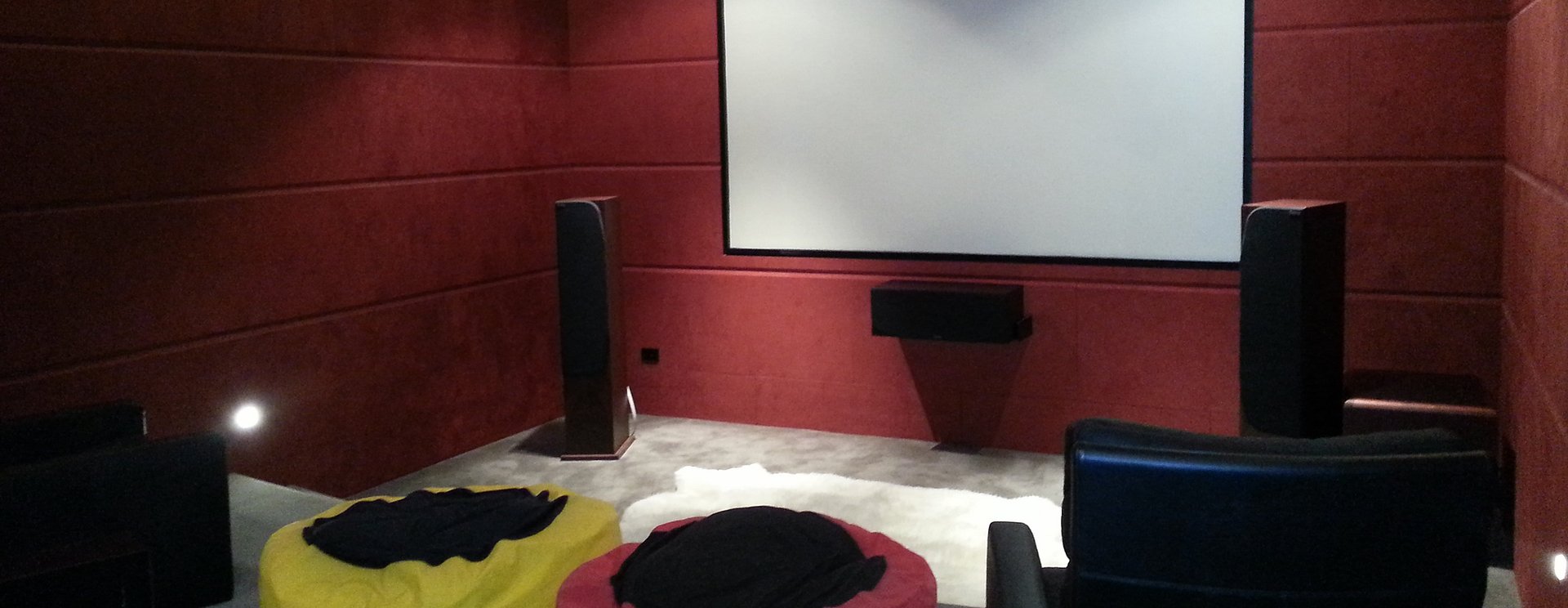
A home theatre should make it easy to settle in and enjoy a film, follow the dialogue in your favourite programme, or watch the rugby with friends. Yet a large screen and impressive speakers do not automatically create a comfortable entertainment space.
The room, seating, lighting, connections and controls all influence the result. Planning these details before buying equipment can help you avoid awkward viewing angles, visible cables and a system that nobody else in the household knows how to use.
If you are considering home theatre installation in Hamilton, start with how you want the space to work. This guide explains the decisions that help turn a lounge or spare room into an enjoyable place for everyday entertainment.
Start with your everyday viewing habits
Before comparing televisions or speakers, think about what your household actually watches and listens to. A family that enjoys streaming programmes most evenings may have different priorities from someone creating a dedicated movie room.
Ask yourself:
Will the system mainly be used for films, sport, gaming or music?
How many people usually watch together?
Will you use the room during daylight hours?
Does the space also need to function as your everyday lounge?
Which parts of your current setup frustrate you?
Perhaps the picture is already good, but speech is difficult to hear. Maybe switching between the television and a streaming device requires several remotes. Identifying the problem gives your project a clearer purpose and helps you decide where to spend your budget.
Plan the room before choosing the screen
Look at the room from the seats you will actually use. Note the windows, doors, walkways and furniture, along with any reflections on the proposed screen wall.
The biggest available screen may dominate a small room or feel uncomfortable from a nearby sofa. Equally, a screen that looks suitable in a showroom may seem modest when viewed across a larger living area.
Consider screen size together with viewing distance, picture quality and your personal preferences. Marking the proposed screen outline on the wall can help you visualise its scale before making a purchase.
Think about height too. A television mounted high above a fireplace may require you to tilt your head during longer viewing sessions. Aim for a position that feels comfortable from your usual seat, while checking mounting requirements and available wall space.
Decide between a television and a projector
Both options can work well, but they suit different rooms and viewing habits.
A television is often convenient for a multipurpose lounge where people watch at different times of day. A projector may appeal if you want a larger cinema-style picture and can manage the room lighting.
Before deciding, consider:
The amount of daylight entering the room.
Space for the screen and projector.
Where power and signal cables will run.
Whether equipment will remain visible.
Installation access and ongoing maintenance.
Projection planning should account for the particular projector, screen and installation position. Avoid assuming that any projector can produce the picture size you want from wherever it happens to fit.
Discuss the whole setup before buying individual components. A suitable choice should work with your room as well as your viewing preferences.
Give clear dialogue a place in your budget
Picture quality often attracts attention first, but understandable speech matters just as much. Constantly adjusting the volume because voices seem quiet and action scenes seem loud can become frustrating.
Listen to your existing system with familiar content. Is speech unclear everywhere, or mainly from certain seats? Is a speaker blocked by furniture? Are you relying entirely on the television speakers?
A soundbar may suit a straightforward lounge setup, while separate speakers can offer more placement options. Dolby’s home theatre guidance highlights the importance of speaker positioning and calibration, including recalibrating after changes to speaker or furniture placement. Dolby
Focus on a sound system that suits the room and your listening habits. More speakers alone do not guarantee a better experience. Correct installation and adjustment help the equipment work together. Source: Dolby home theatre setup guide.
Consider acoustics and the neighbouring rooms
Your home theatre will share a building with everyday household life. Think about bedrooms nearby, people working from home and how late you typically watch television.
A room with bare floors, large windows and many hard surfaces may sound different from one with rugs, curtains and upholstered furniture. These details are worth discussing when assessing the space.
Soft furnishings can help manage reflections, but they are not a substitute for sound isolation. If containing noise is a major priority, raise it at the planning stage rather than expecting a few acoustic panels to prevent sound reaching another room.
You should also consider how speakers fit around doors and walkways. Equipment that sounds impressive but obstructs daily movement is unlikely to remain in its ideal position for long.
Organise cables and equipment access
A tidy home entertainment system needs a plan for everything behind the screen.
List the equipment you expect to connect, including streaming devices, gaming consoles and any existing audio components. Decide where these items will sit and how you will reach them when a connection needs checking.
An enclosed cabinet may look attractive, but equipment still needs ventilation according to its manufacturer’s instructions. Leave space for plugs, cable bends and access rather than squeezing everything into the smallest possible compartment.
If you are renovating or building, discuss cable routes before walls are closed. Useful provisions might include speaker cabling, network connections or accessible pathways for future changes.
Planning access now can make later upgrades easier and reduce the need to disturb finished surfaces.
Check the connection behind your streaming
A home theatre can only play streamed content as reliably as its connection allows. If programmes regularly buffer, investigate the cause before assuming that replacing the television will solve it.
Consider whether the problem affects one device, one room or the whole house. Your internet service, local network and streaming equipment can each influence the experience.
Where suitable, a wired network connection is worth considering for fixed entertainment equipment. Wi-Fi may also work well when the network is designed around the room and household usage.
For more background, read Harmony Tech’s guide to why Wi-Fi is slow in some rooms. Connectivity planning helps you address the entertainment system as a whole.
Make everyday controls straightforward
Imagine a visitor trying to watch television using your new system. Would they know how to switch it on, select a programme and adjust the volume?
If those tasks require a long explanation, the controls deserve attention.
Identify the actions your household uses most and ask how they can be made consistent. Depending on equipment compatibility, this might involve a simpler remote arrangement or integration with home automation.
Everyone who uses the system should receive a practical demonstration. Include switching between sources, selecting the correct audio output and understanding what to do when something does not respond.
A short written guide can also help. The aim is to make entertainment feel accessible to the whole household.
Set a budget for the complete installation
Allow for more than the screen and speakers. Mounting, cabling, equipment storage, installation, configuration and demonstration may all form part of the project.
Ask for a scope that explains what is included and which items depend on a site assessment. This makes it easier to compare proposals and avoid overlooking work that the room requires.
Before signing off, confirm who will handle each part of the work and how the finished system will be checked and demonstrated to your household.
If your budget is limited, prioritise the improvements that address your main frustrations. You may be able to retain suitable equipment and upgrade selected parts.
Discuss any staged approach before purchasing. Compatibility matters, and an inexpensive component can become poor value if it creates connection problems or needs replacing to support the next stage.
Frequently asked questions about home theatre installationDo I need a dedicated cinema room?
No. A home theatre can be planned around an existing lounge. The design should account for shared use, lighting, seating and equipment placement.
Can I keep my current television?
Possibly. Assess its condition, connections and suitability for your goals before deciding. Better sound or simpler controls may be the more useful improvement.
Should I plan before renovating?
Yes. Early planning gives you more opportunity to coordinate cable routes, equipment locations and access before finishes are completed.
Plan your home theatre with Harmony Tech
Harmony Tech helps homeowners in Hamilton with home theatre systems for living rooms and dedicated entertainment spaces. Its services include advice on suitable equipment and professional installation. Home Theatre Hamilton
Whether you want clearer sound, a larger picture or a more organised setup, start by discussing your room, existing equipment and everyday needs.
Explore Harmony Tech’s home theatre services or get in touch to discuss your project.
Call Jonathan on 027 489 6886 or email jonathan@harmonytech.nz to start planning a home entertainment system that suits your home.

