When you are building or renovating a home, kitchens, bathrooms and flooring naturally attract attention. Yet the technology behind the walls can have just as much influence on how comfortably you live in the finished space.
Reliable internet, clear television sound, convenient controls and well-positioned security cameras all start with planning. Leaving these decisions until the painting is finished can mean visible cables, awkward equipment placement or extra work to reach areas that were previously accessible.
For homeowners considering smart wiring in Hamilton, the goal is straightforward: create a practical foundation for the systems you need today, with sensible options for tomorrow.
What Is Smart Wiring?
Smart wiring is a planned cabling system that supports services such as internet networking, television, audio and security. Rather than deciding where connections should go room by room during installation, you consider how the whole home will work.
It does not mean every appliance needs to be automated. A simple setup might include network outlets in the office and lounge, wiring for Wi-Fi access points, and provision for cameras at key entrances.
The right design depends on your floor plan, budget and routines. A household with teenagers streaming and adults working remotely will have different priorities from someone planning a dedicated cinema room.
1. Start With How You Will Use Each Space
Before discussing equipment, mark the likely furniture layout on your plans. Identify where you expect to work, watch television, listen to music and charge devices.
Ask practical questions:
Will the spare bedroom become a home office?
Where will the main television and entertainment cabinet sit?
Do you need internet access in the garage?
Will outdoor areas need music or camera coverage?
Could a room change purpose later?
These answers help determine useful connection points. They also reduce the chance of placing a network outlet behind a wardrobe or discovering that your preferred television wall has no suitable cable route.
2. Plan Wi-Fi Coverage Across the Home
A fast internet connection does not automatically provide strong Wi-Fi everywhere. Building materials, the layout and equipment placement can affect wireless coverage.
A router tucked into a cupboard at one end of the house may struggle to serve bedrooms or outdoor living areas. Planning suitable locations for Wi-Fi access points can help distribute coverage more effectively.
Discuss the lounge, office, bedrooms and any separate spaces you want connected. Access points with wired connections back to the network can provide a useful foundation, although the final design should suit the property.
Harmony Tech’s home connectivity services include smart wiring, Wi-Fi and home networking, making this an appropriate conversation to have early in your project. Home Connectivity Hamilton
3. Include Wired Connections Where They Make Sense
Wireless connections are convenient for phones and tablets. However, equipment that stays in one place may benefit from a wired network connection.
Consider network outlets for desktop computers, compatible televisions, gaming consoles and other supported devices. Wired connections can reduce reliance on wireless coverage for those devices, though they cannot fix an unsuitable internet plan or a problem with your provider.
Your installer can advise on cable selection, outlet numbers and placement. Focus on useful locations and accessible pathways rather than adding connections indiscriminately. A few thoughtfully positioned outlets can be more valuable than numerous points that never get used.
4. Choose a Practical Equipment Location
Your home network needs somewhere suitable for equipment such as the router, network switch and associated connections.
Discuss access, ventilation, space and power requirements before choosing a location. Equipment should be reachable for maintenance without requiring you to empty a crowded storage cupboard.
Also consider where the internet service enters the property and how connections will reach the rest of the home. Confirm responsibilities with your installer, electrician, builder and internet provider.
A tidy arrangement with labelled cables makes future troubleshooting easier. It also helps keep everyday living areas free from unnecessary equipment and tangled leads.
5. Decide on Entertainment Layouts Before Pre-Wiring
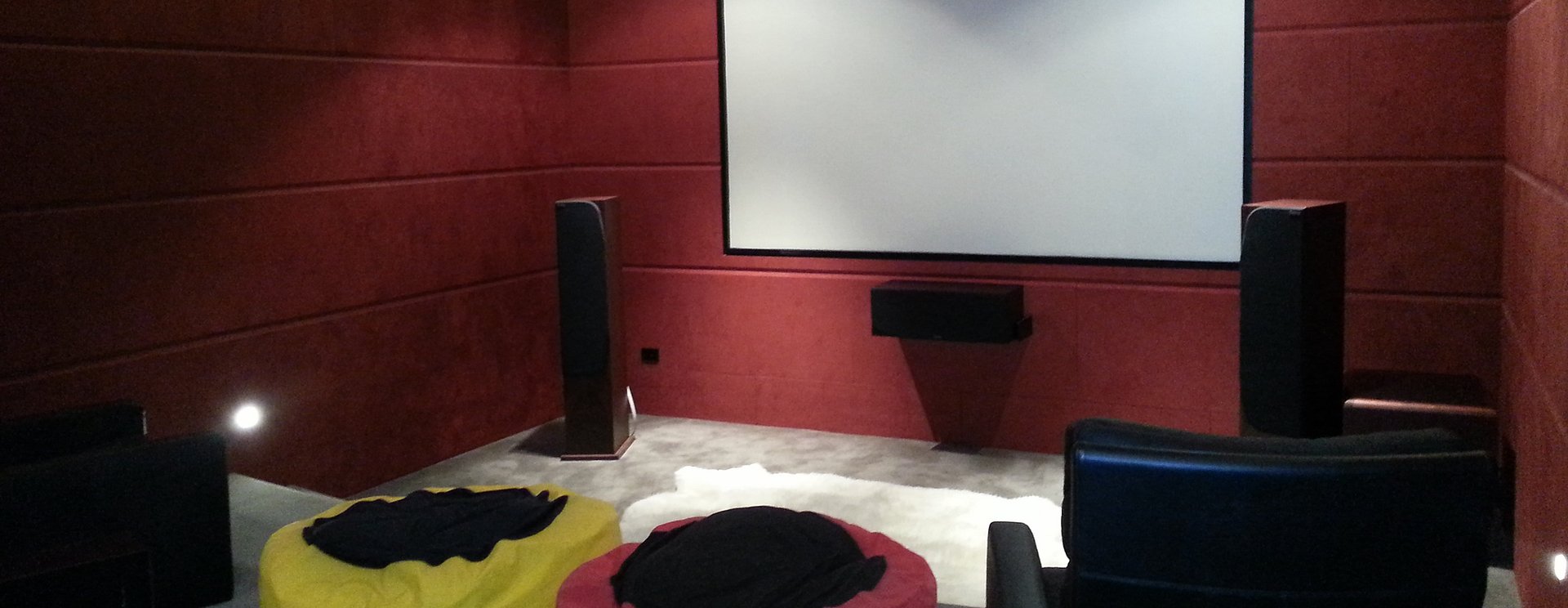
Television and speaker positions deserve attention before wall linings are installed. A large screen may look impressive, but its location needs to work with seating, windows and viewing comfort.
Consider where source equipment will sit, how cables will reach the screen and whether you want speakers mounted on walls or installed in ceilings.
For a possible projector, discuss mounting position, cable pathways and equipment access. Long cable runs and concealed connections should be planned around the intended system.
Even if you are starting with a modest setup, allowing suitable pathways during construction can make a later entertainment upgrade easier to organise.
6. Allow for Security Cameras and Alarms
Building or renovating offers an opportunity to consider security alongside connectivity and entertainment.
Identify entrances, the driveway and other areas where cameras could provide useful visibility. Camera placement should account for lighting, obstructions and the view you actually need.
Discuss cable routes, recording equipment and how you would like to access footage. For an alarm, consider everyday entry routines and where controls would be convenient.
If you may add security later, ask what preparation is worthwhile now. Suitable cabling or pathways may simplify installation, but the details depend on the equipment and property. Coordinate these decisions with the overall building plan.
7. Prepare for Home Automation Selectively
Home automation works best when it addresses a real need. You might want easier entertainment controls, scheduled lighting or convenient operation of compatible blinds.
Choose a few priorities rather than assuming every room needs the same features. Ask which functions require additional wiring, compatible equipment or an internet connection.
Compatibility matters: products from different manufacturers do not always work together. Understanding the intended control system before buying devices can help avoid disappointing combinations.
Also ask how essential functions operate if the internet becomes unavailable. Straightforward controls and clear instructions matter just as much as the features advertised on the box.
8. Coordinate Installation With Your Building Schedule
Technology planning should happen while cable routes and equipment positions can still be adjusted easily.
Share the proposed layout with your builder and electrician. Agree on when pre-wiring, installation and final setup will take place, and who is responsible for each part.
Before walls close, check outlet locations against the latest furniture and kitchen plans. Renovation decisions often change, and a small adjustment now may prevent an inconvenient connection later.
Keep records of cable routes and outlet labels. Once equipment is installed, arrange testing and a demonstration so everyone in the household understands the everyday controls.
Check connections in the rooms where they will be used, rather than testing only beside the main router.
Plan Your Hamilton Home With Harmony Tech
Good technology planning starts with your lifestyle and budget. Prioritise reliable connectivity and the systems you will use regularly, then consider sensible preparation for later additions.
Harmony Tech offers advice, design, pre-wiring, installation and setup for home technology, including audio-visual systems and connectivity. Whether you are building a new home or renovating an existing property, an early discussion can help bring those decisions into your project plan. Security Alarm |Harmony Tech Waikato
Ready to discuss smart wiring in Hamilton? Contact Harmony Tech or call Jonathan on 027 489 6886 to talk through your plans and requirements.

